Free
$0
- 10 new sessions every week, including automations
- 5 hours on a Bivy computer, once
- Live previews, feedback and share links
- All integrations included
- No credit card
The open-source workspace for coding agents
Bivy runs Claude Code, Codex and other agents on your own machine. Reach them from a browser or your phone, with the app they’re building right in the chat. Try it, point at what’s wrong, and send it back.
10 free sessions a week · No credit card · Open source
Works with any coding agent
01 Live previews
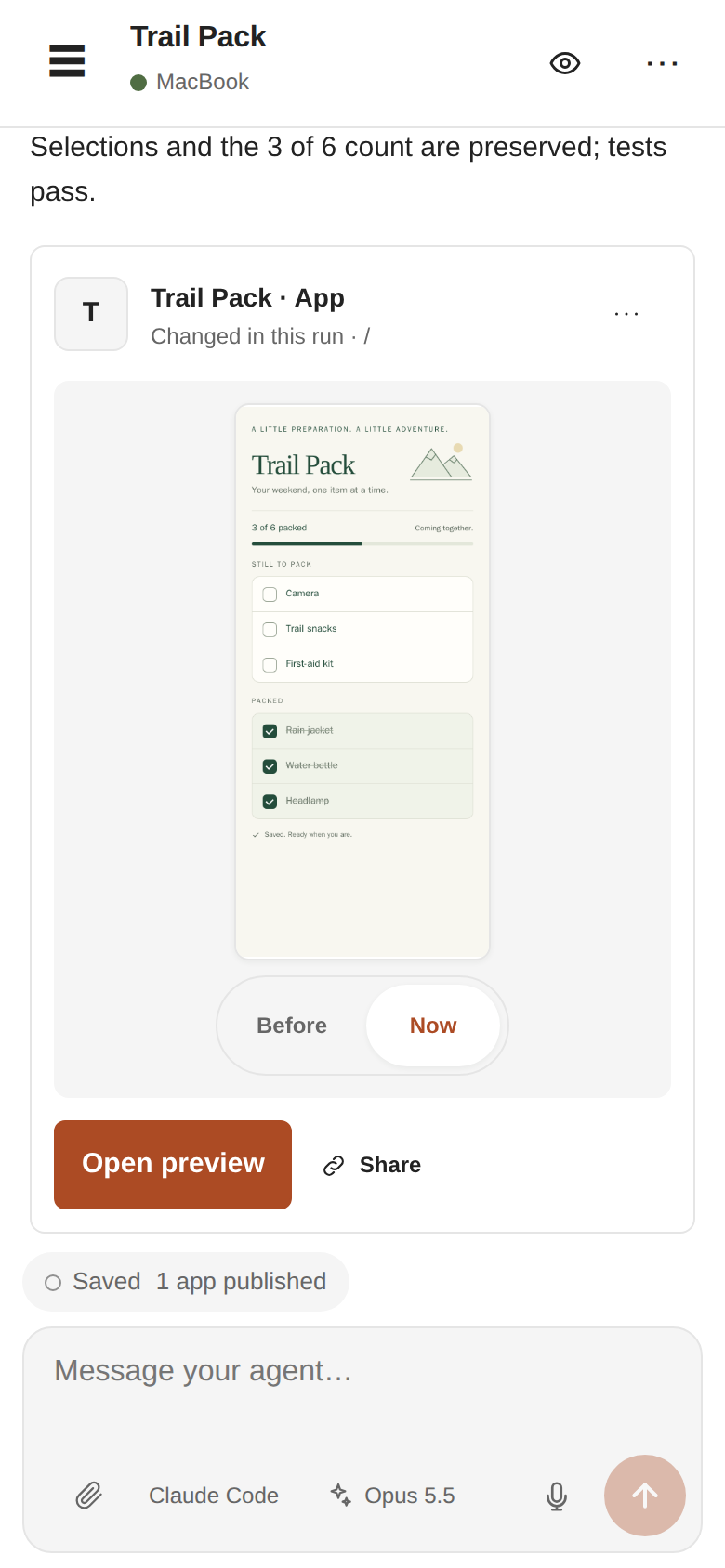
Bivy finds the dev server your agent starts and opens it next to the chat: web apps, terminals, even desktop apps. Here’s one change to a small demo app.
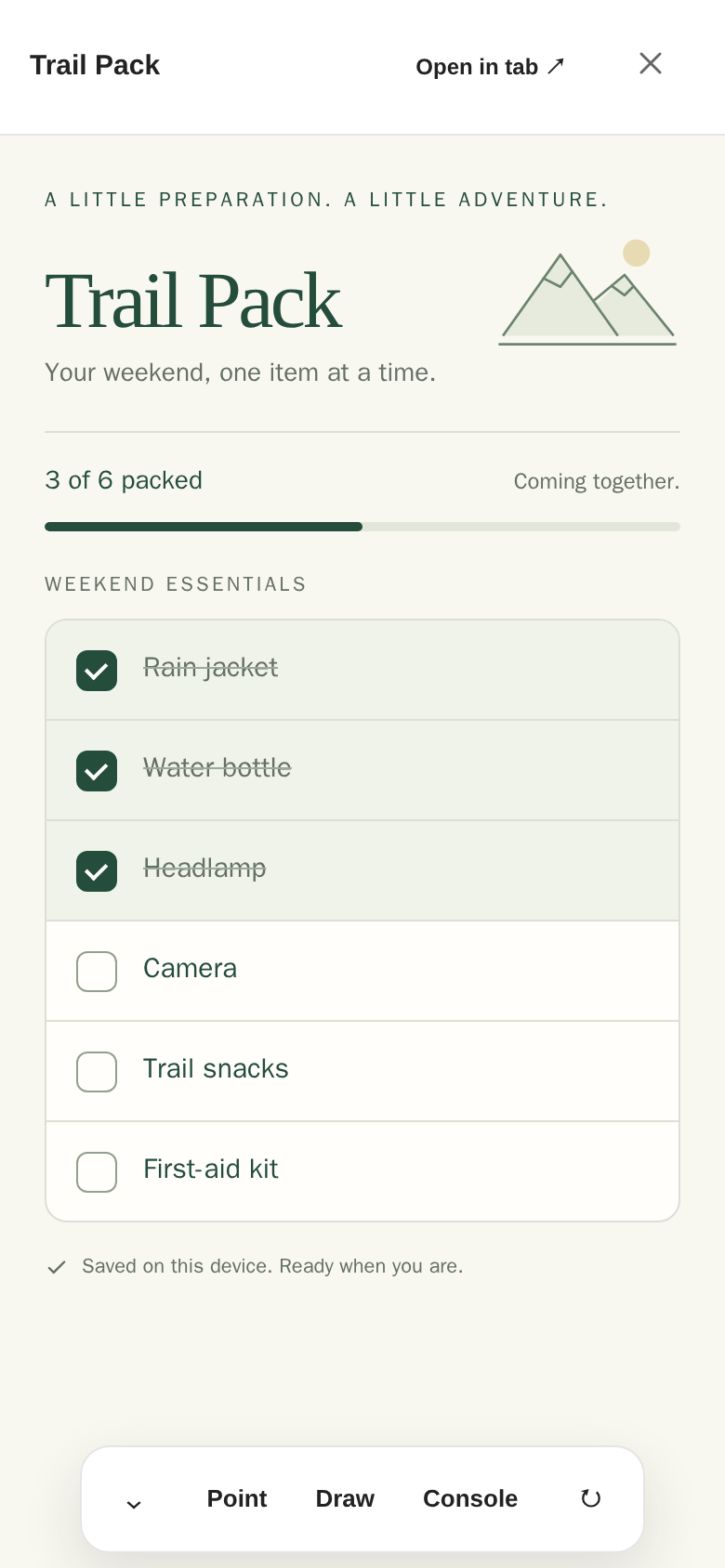
01 · Preview
Open it beside the chat. Here, packed items crowd the top of the list.
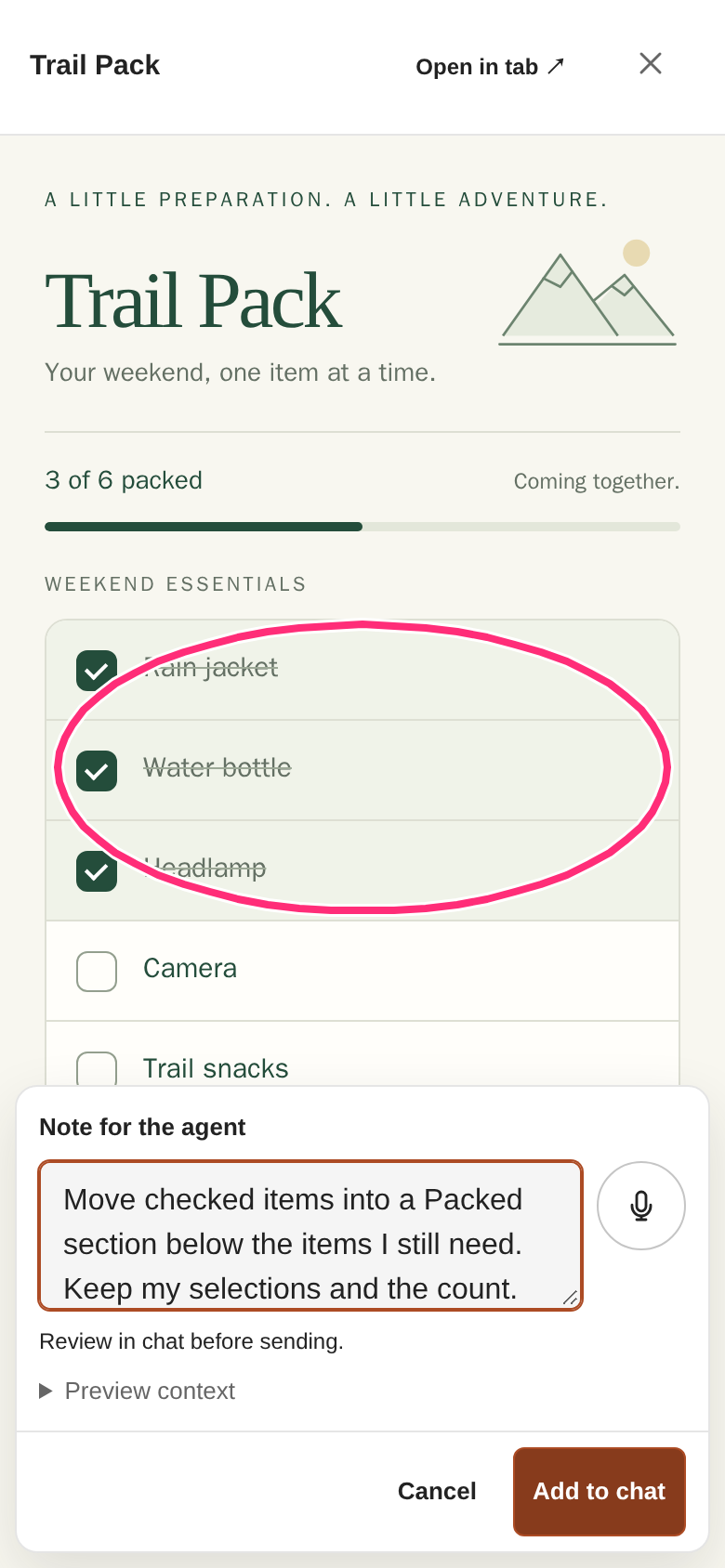
02 · Feedback
Your drawing and note go to the agent with the page context. No screenshots to paste.
03 · Review
The agent’s reply comes with the app as it looks now. Flip to Before, open it live, or share it.
02 Automations
Send a GitHub issue, a failed CI run, a Linear ticket, a Slack message, a schedule or any webhook to Bivy. An agent picks it up on your machine and posts back a preview link or a pull request.
01 / The trigger
“Build a weekend packing checklist.”
Here, a Basecamp to-do fires a webhook.
02 / On your machine
It writes the code and runs your tests in your repo, with your tools.
03 / Back to you
The preview link lands in the to-do. Open it, try the app, and reply in the same session.
“Separate packed items from what is left.”
Start work from
03 Any agent
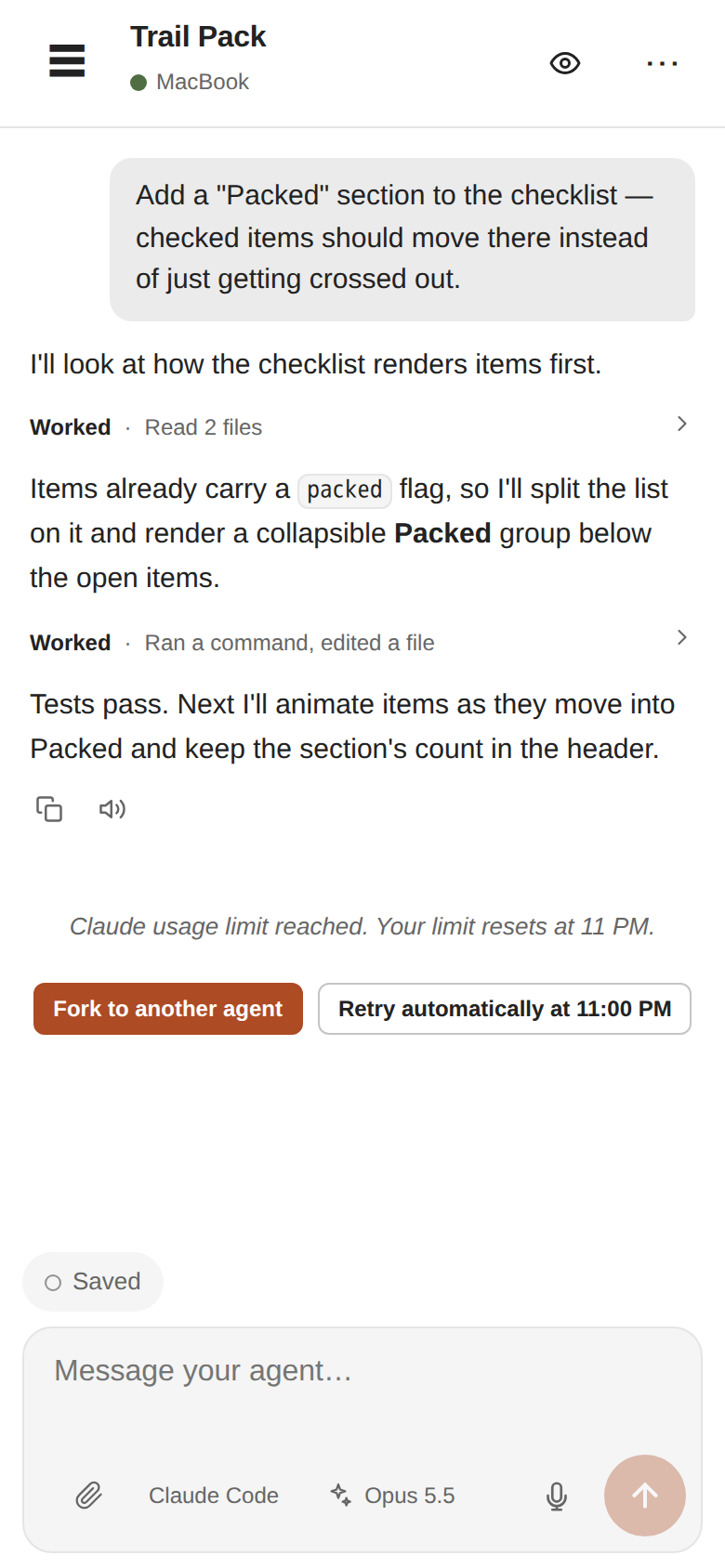
04 Your machine, anywhere
Agents use your repo, local services, databases, caches and tools. Nothing to rebuild in a cloud sandbox.
Start at your desk; follow along in a browser or on your phone. Your machine dials out, so there are no ports to open.
Prompts, transcripts, diffs and files are encrypted between your machine and your devices.
AGPL-3.0. Use Bivy Cloud, or self-host the whole thing.
$0
$15/mo
$0
Your own computers are unlimited: you bring the machine, and sessions you start on it never count. A Bivy computer sleeps when the work stops, and sleeping is free. Extra hours are $0.10, up to a ceiling you set. You bring your own agent subscription or API key.
A workspace for your coding agents: chat, terminal, live app previews, automations and code review, from your desk, browser or phone. It’s not another coding agent. Your own machines are the normal place work runs. A Bivy computer is optional, and it sleeps when you stop.
Your own machine has to stay awake while it runs the work. Use an always-on server if you want that work to continue while your laptop is closed. A Bivy computer sleeps when the work stops and wakes when you come back.
19 agents are supported, including Claude Code, Codex, Pi, OpenCode, Gemini CLI, Grok, Cursor, GitHub Copilot, Amp, Goose and Aider. Any other CLI or ACP agent can be connected through a generic adapter (experimental). Capabilities such as resume, model choice and approvals vary by agent.
All agents and what each supports ↗A fork or move takes the code and conversation context with it. How much history transfers depends on the agents involved, so check the new session before retiring the original. Switching doesn’t reset the first provider’s limit, and automatic retry needs a reset time from the provider.
How session handoffs work ↗An automation rule for the source (GitHub, Linear, Slack, a schedule or a signed webhook). To post a preview link back to a tool like Basecamp, the agent needs credentials for that tool.
Webhook recipes ↗Cloud hosts the app and relay. Work runs on your own machine, or on an optional Bivy computer that sleeps when you stop. You still supply model access. Self-host the AGPL-3.0 software for $0 and run your own infrastructure.
Self-host guide ↗Interactive prompts, transcripts, diffs, files, and model keys are end-to-end encrypted between your machine and paired devices. Your model provider receives what your agent sends; Slack commands and generic webhook instructions reach the routing service as plaintext. Anyone with a preview share link can use that app until the link expires or you revoke it.
Security boundaries ↗Not universally. Some agents have native sandboxing or structured approvals; others run largely as you. Choose permissions and isolation appropriate to the agent and task.
Agent security model ↗